
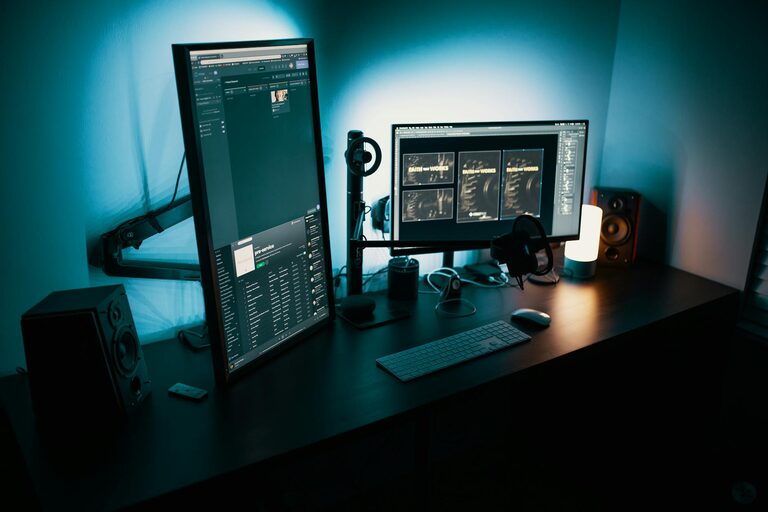
Creating a productive home office space can significantly enhance your ability to focus, stay motivated, and maintain a healthy work-life balance. Whether you’re working remotely full-time or spending occasional hours at home, a well-organized and thoughtfully designed workspace can make all the difference. In this post, we’ll explore practical tips to help you set up an efficient, comfortable, and inspiring home office.
Choose the Right Location
Find a Dedicated Space
Selecting the right spot for your home office is the first step. Ideally, this should be a quiet area away from common distractions like the television or kitchen. If possible, use a separate room or a corner that can be clearly marked as your work zone. This helps to mentally separate work from leisure time.
Consider Natural Light
Natural light has been shown to improve mood and productivity. Position your desk near a window to maximize daylight. If natural light is limited, opt for bright, energy-efficient lighting that mimics daylight to reduce eye strain.
Invest in Comfortable and Ergonomic Furniture
Choose a Supportive Chair
Spending hours at a desk means your chair needs to support good posture. Look for an adjustable chair with lumbar support that promotes comfort and reduces the risk of back pain.
Opt for a Suitable Desk
Your desk should have enough surface area for your computer, documents, and other essentials without feeling cluttered. Adjustable desks, including sit-stand options, can offer flexibility and encourage movement throughout the day.
Organize Your Workspace Effectively
Declutter Regularly
A cluttered desk can distract and reduce productivity. Keep only essential items within reach and store the rest in drawers, shelves, or organizers. Regularly tidying your workspace keeps it inviting and functional.
Use Storage Solutions
Invest in shelves, filing cabinets, or desk organizers to keep paperwork and office supplies neatly arranged. Label storage containers to find items quickly and maintain order.
Minimize Distractions
Set Clear Boundaries
If you share your home with family or roommates, communicate your work hours and needs clearly. Using a door sign or headphones can signal when you’re focusing and should not be disturbed.
Limit Digital Interruptions
Turn off non-essential notifications on your computer and phone while working. Consider apps that block distracting websites during focus periods.
Personalize Your Office
Adding personal touches can make your workspace more inviting and inspire creativity. This might include plants, artwork, or motivational quotes. However, avoid overdecorating, which can lead to distraction.
Optimize Technology and Connectivity
Reliable Internet Connection
A stable, high-speed internet connection is crucial for smooth communication and online work. Consider upgrading your router or using a wired connection if Wi-Fi is unreliable.
Invest in Quality Equipment
Ensure your computer, monitor, keyboard, and mouse are comfortable and efficient to use. A second monitor can enhance productivity for tasks requiring multiple windows or applications.
Establish a Routine
Creating and sticking to a daily schedule helps maintain productivity. Set specific start and end times, include breaks, and create rituals that signal the beginning and end of the workday, such as morning coffee or a short walk.
Incorporate Movement and Breaks
Sitting for long periods can cause fatigue and discomfort. Integrate short breaks every hour to stretch or walk around. Consider using a standing desk or alternating between sitting and standing to improve circulation.
Manage Noise Levels
If your home is noisy, consider noise-canceling headphones or playing soft background music to help concentration. White noise machines can also mask distracting sounds.
Ensure Good Air Quality and Comfort
Poor air quality can impact focus and health. Open windows regularly to allow fresh air, and consider adding an air purifier or some plants that improve indoor air. Maintain a comfortable room temperature to prevent discomfort.
—
By applying these tips, you can create a home office space that supports your productivity and well-being. A well-planned workspace promotes focus, reduces stress, and helps you separate work from personal life, leading to a better overall remote working experience. Remember, the best home office is one tailored to your unique needs and preferences, so feel free to experiment and adjust your setup until it feels just right.